Run the GUI example in the emulator
The examples/gui_app counter uses Symbian Window Server to draw four digits
and respond to taps. EKA2L1 is the community emulator used to inspect this
behavior with a locally supplied ROM/Z image.
| Initial frame | After one increment |
|---|---|
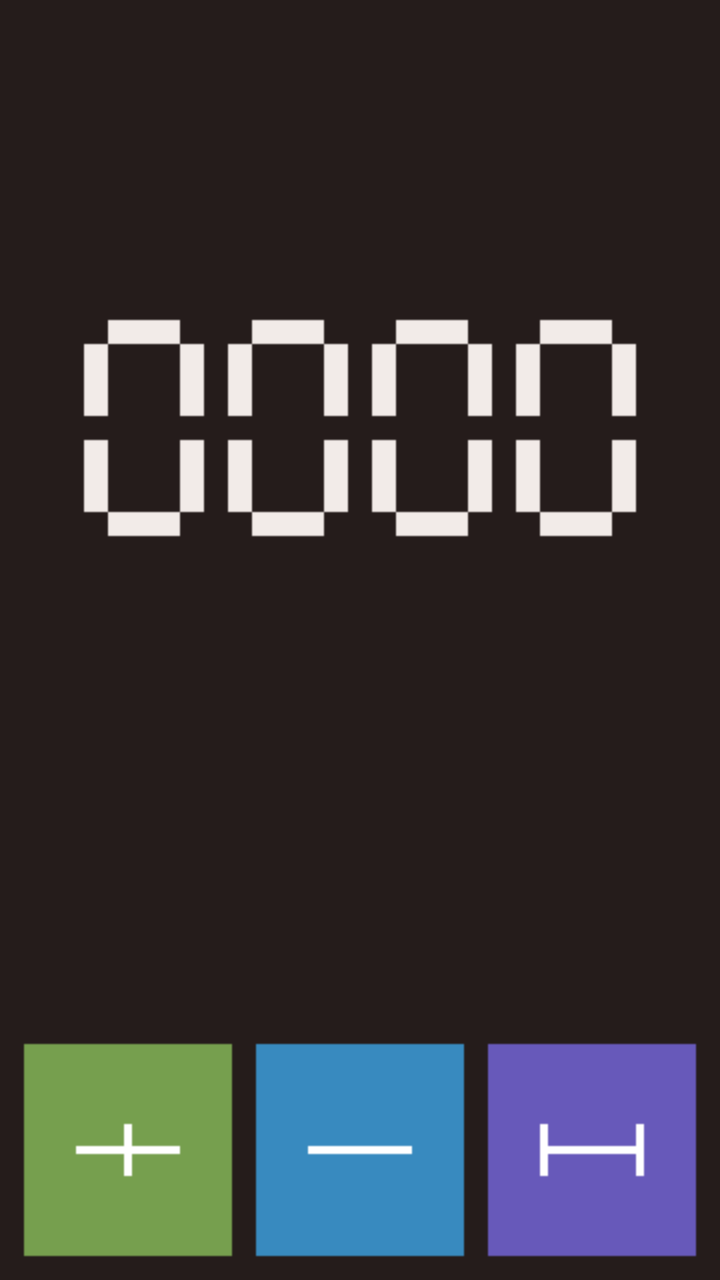 |
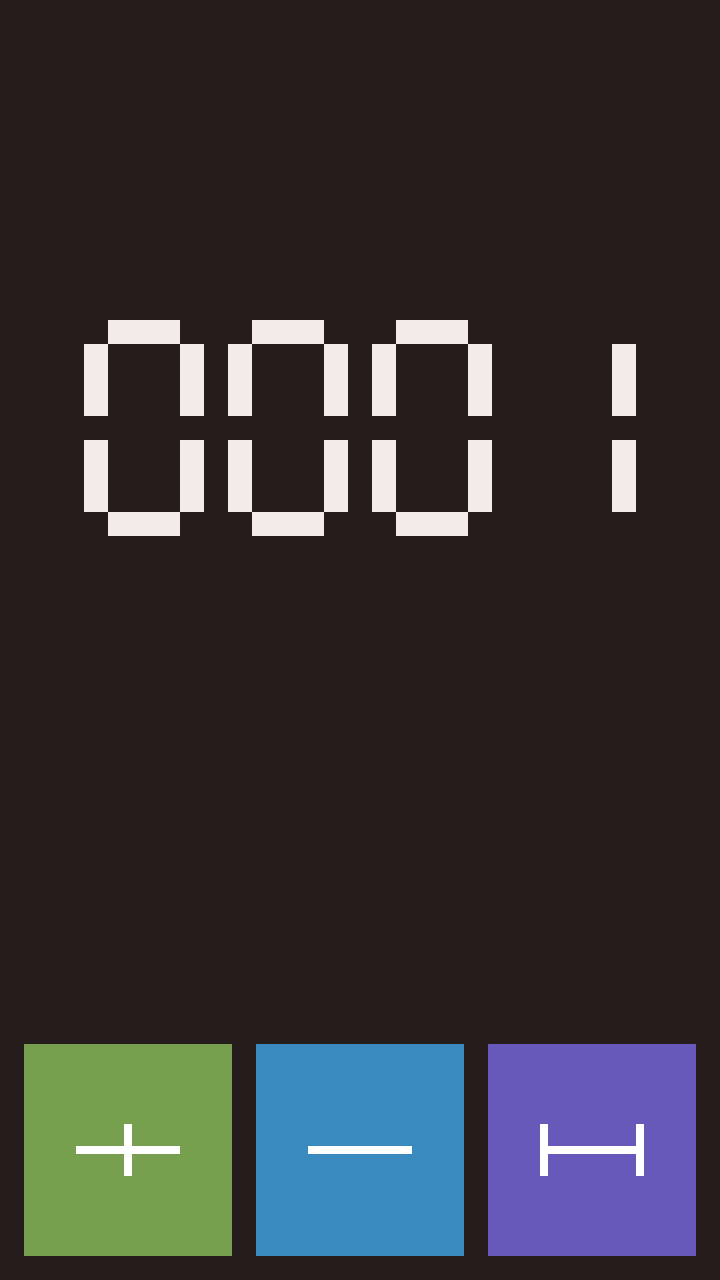 |
EKA2L1 captures using an RM-807 firmware image.
1. Prepare the image and firmware
Build the GUI executable and import a local firmware
image. The example's E32 path is
.symbian/gui-app/gui_app.exe; keep the matching .elf for debugging.
2. Launch a disposable session
The SDK's GUI Run configuration in CLion invokes the run supervisor. It resolves the selected firmware, copies its verified baseline into fresh writable state, stages the image and starts EKA2L1. Use the emulator's visible window to tap the increment, reset and exit controls.
A manual pinned-source build, private fixture preparation and direct
--run workflow are in the emulator build reference.
They are needed when investigating the emulator itself.
3. Check the application
Check that the counter starts at 0000, increments once per tap, resets and
exits normally. Keep the selected firmware identity, CPU backend, screenshots,
guest exit reason and instance log. If the GUI fails before drawing, retain
the failure log and use guest debugging.
Open the emulator for manual application launch
Run the frontend using the selected firmware without automatically starting an application:
In Symbian Console → Emulator, choose Run emulator. Optional settings
select the firmware, SDK, project configuration or CPU backend. A project is
used to resolve settings and, when it declares an application, to build and
stage that application. The CLI detects an application in its working directory;
--project /path/to/app selects one explicitly. The GUI uses its selected
application context. Registered applications receive their SDK-compiled menu
resources in the private emulator C drive so they appear in EKA2L1's application list. Select the
application there when ready to run it. Plain executable projects are copied
to C:\sys\bin; they have no application-menu registration.
Without an application context, the emulator opens without a build or injection. EKA1 firmware can open in that mode; staging an SDK application still requires the supported EKA2 application ABI.
Each launch copies the verified baseline into .symbian/emulator-runs/ under
the chosen workspace. Close the EKA2L1 window to finish, or press Ctrl+C in the
CLI to stop its owned child. The session retains frontend.log, launch.json
and any final control report. Changes to the copied instance do not carry into
the next launch. Opening the frontend does not establish full OS boot or
physical-device compatibility.
Built-in firmware application compatibility
An application appearing in EKA2L1's list establishes registration discovery; each application still depends on the emulator's kernel and service support. The SDK counter exercises a small Window Server path. Firmware applications can require additional AVKON, media, database and file-system services.
Firmware applications can fail when they require unimplemented services.
In the RM-807 profile, Gallery can show a black screen while its media service
exits with KErrGeneral (-2); Clock may also fail to render. These applications
are not supported by the emulator profile.
For a failed application, inspect frontend.log, the selected firmware and
profile, application UID, capture and native process-exit report.