Symbian Console
Symbian Console is the desktop view of the same SDK commands used in a terminal. Use it to create a project, build an E32 executable, choose imported firmware, run in the emulator and prepare a SIS package. The screenshots below use the actual frontend with sample paths and no connected phone.
Create and select an application
- Start the Console with
symbian consolefrom the repository root. - Choose Applications and Create an application. Enter a new folder, name and application UID3, then review the proposed settings.
- Select the created project in the sidebar. Its application page collects Build, Run in emulator and Package in one place.
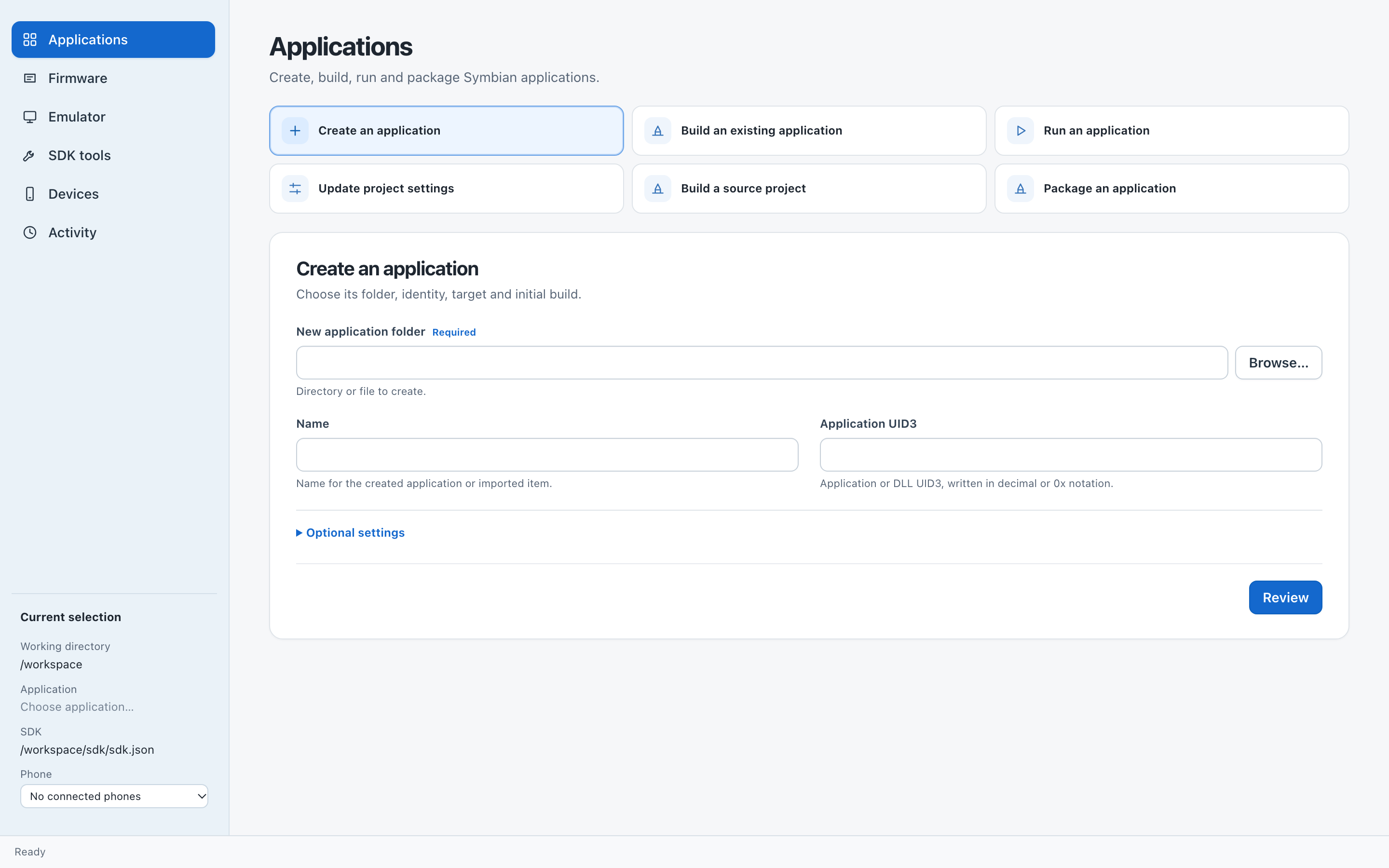
Applications page, captured from the current frontend with a sample SDK path.
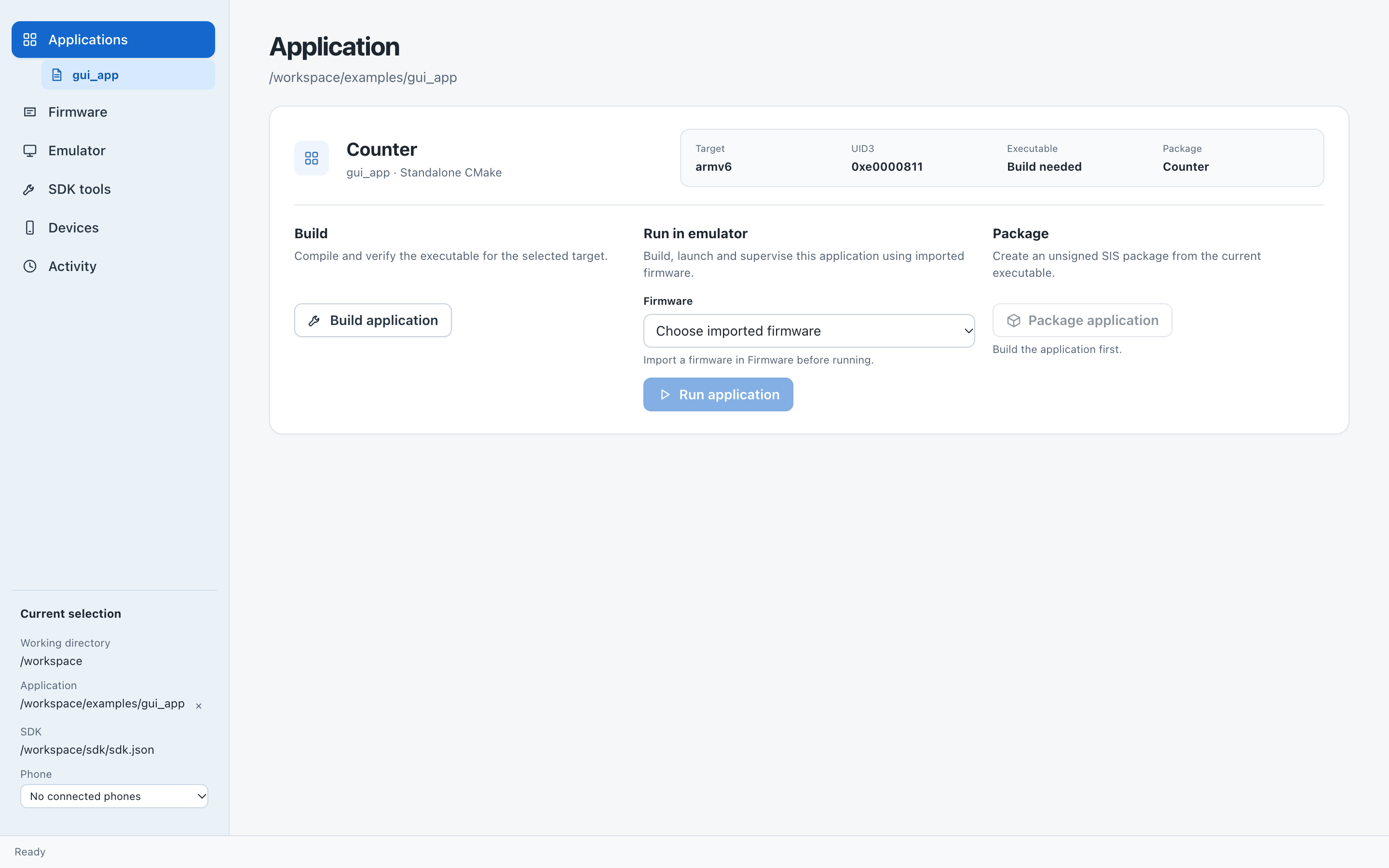
Selected project before its first build. Import compatible firmware before running; Package becomes available after Build.
Build, run and package
With a project selected, choose Build and review the result. The project page shows the produced executable and retains tool output. To launch it, first import compatible firmware, then choose Run in emulator. The console supervises the emulator session and reports its guest exit.
Choose Package after a successful build to create an unsigned SIS. A SIS holds application files for installation; producing one does not install it on a phone. See packaging for its contents and checks.
For the full navigation map, firmware browser, USB inspector and the desktop implementation, see the console reference.