Use CLion with Symbian applications
CLion is a CMake-aware C++ IDE. This project uses its CMake profiles to keep host tools and 32-bit ARM guest code separate. The editor can index the ARM headers and source using the same compiler settings as the build. A saved Run configuration launches the example through the SDK's emulator supervisor; a separate Remote Debug configuration attaches ARM GDB to the guest.
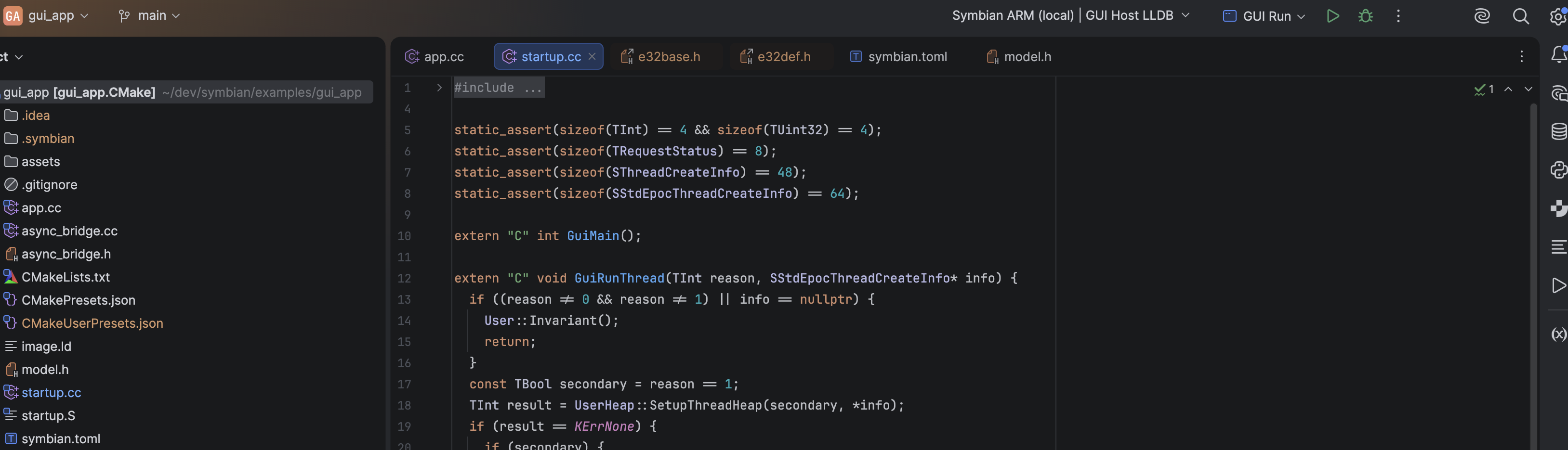
The prepared GUI example in IntelliJ IDEA with the CLion plugin. The toolbar shows the selected ARM CMake profile and saved GUI Run configuration. The IDE capture shows configuration and source indexing, not a running guest.
| Step | Guide | What to check |
|---|---|---|
| 1 | Configure profiles | Open examples/gui_app; load clion-arm; reload CMake |
| 2 | Run and debug | Use GUI Run for a visible app and GUI Debug for guest breakpoints |
| 3 | Inspect indexing and advanced paths | Compilation databases, retained sessions and manual GDB |
The Build a real GUI app explains the underlying ELF, E32, firmware and emulator steps. CLion displays source and controls these tools; it does not turn an ARM ELF into a host executable. A generated app may use the standalone project guide instead of the source example.
Develop the SDK itself
Open the repository root and select guest-probes-armv6 or
guest-probes-armv5t (the local IDE profiles have a clion- prefix).
These profiles build the current runtime, device APIs, WebSocket codec,
TLS wrapper and guest concurrency archives. Applications in that graph use
the same archives and prefer the workspace's current public headers. Editing
an SDK header or implementation therefore updates the application build and
its compiler context without exporting an SDK first.
The active SDK still supplies preserved platform headers, import proxies,
host tools, and the pinned Abseil and Mbed TLS dependency archives. Standalone
application projects consume the exported SDK. After changing the selected
compiler installation, configure with cmake --fresh --preset
guest-probes-armv6 to replace its compiler cache. Each profile writes its
own compile_commands.json; an ARM ELF build does not establish loader or
physical device compatibility.